"Can you send us a vector file?" is the question that stalls more promotional orders than any other. Here is what it means, why it matters, and how to tell what you have.
Two kinds of image file
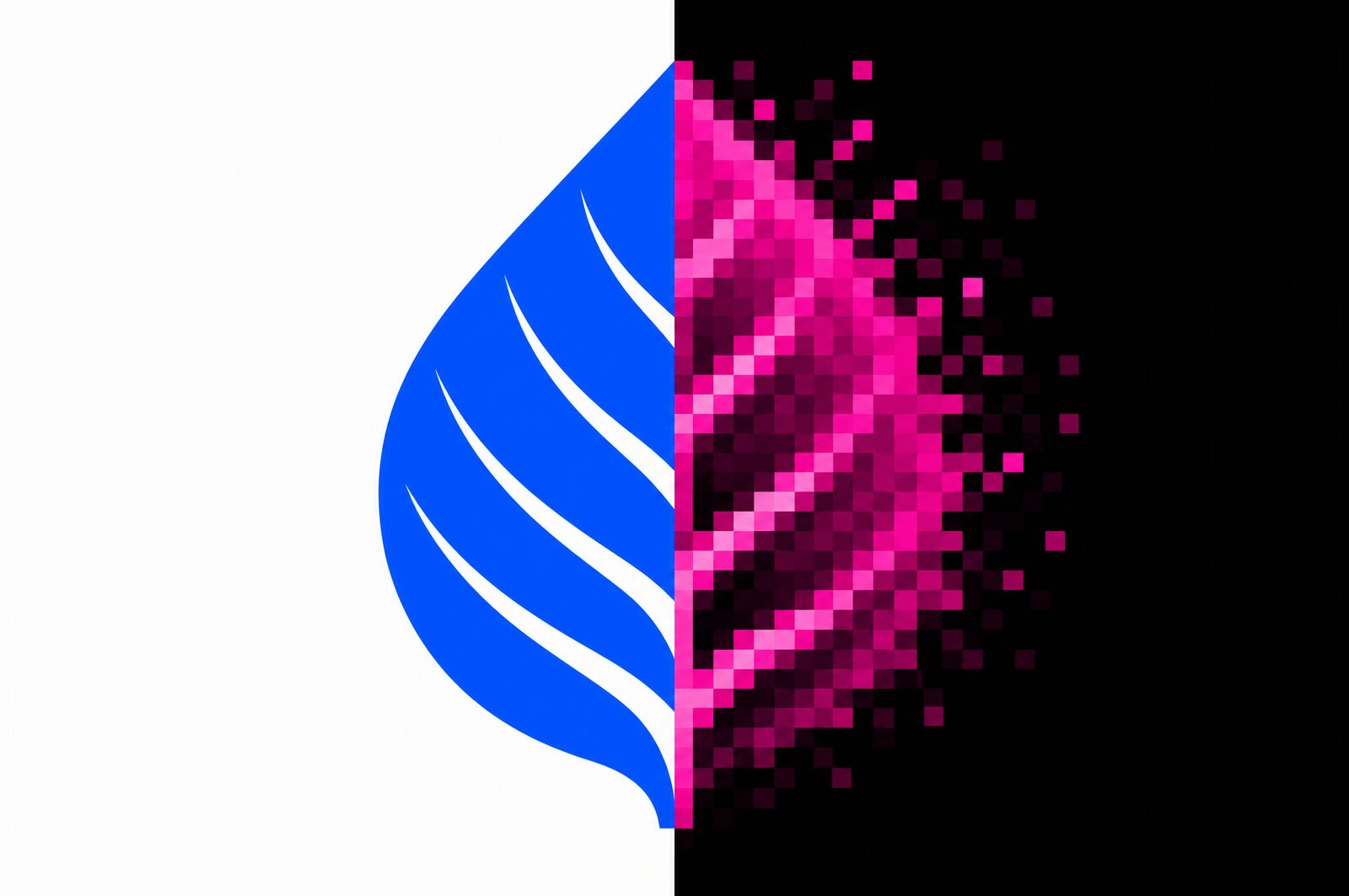
A raster image is a grid of coloured squares. Your logo is described as "this pixel is navy, the one next to it is navy, the one after that is white". JPG, PNG and GIF all work this way. It is how photographs have to be stored, and it is fine — until you need it bigger. Enlarge a raster image and there is no extra information to draw on, so the software invents it, and you get a soft, blocky edge.
A vector image is a set of instructions: "draw a circle of this radius, fill it navy, place this curve here". AI, EPS, SVG and vector PDFs work this way. Because it is instructions rather than pixels, it can be drawn at any size — a lapel pin or the side of a truck — at perfect sharpness.
Why we keep asking for one
- One file, every size. A single order might decorate a pen at 30 mm and a jacket back at 250 mm. One vector file produces both perfectly.
- Colour separation. Screen printing and pad printing need each colour on its own layer to make each screen. Vector artwork separates cleanly; a JPG has to be traced by hand first.
- Precise colour. Vector files carry named colours, so a PMS reference travels with the artwork instead of being guessed from pixels.
- Engraving and cutting. Laser engraving follows paths. Without vector outlines there is nothing to follow.
How to tell what you have
Check the file extension:
- .ai, .eps, .svg — vector. This is what you want.
- .pdf — could be either. A PDF saved from Illustrator is vector; a PDF made by scanning a letterhead is a raster image in a PDF wrapper. Open it and zoom to 800% — if the edges stay razor sharp it is vector.
- .jpg, .png, .gif — raster, always.
The zoom test works on anything. Open the file, zoom in hard on a curved edge. Crisp at any magnification means vector. Blurry or blocky means raster.
Where to find yours
The original vector logo almost always exists — it just is not on the marketing team's laptop. In order of likelihood: the designer or agency who created your branding; your brand guidelines PDF; whoever last ordered signage, vehicle graphics or business cards; the print company who produced them. Ask for "the vector logo files, AI or EPS".
If it genuinely does not exist
It is not a crisis. We redraw logos into vector regularly — a designer rebuilds it as clean shapes, matched to your colours. We quote it before starting, it is usually modest, and you keep the file for every future job with any supplier. It is a one-off fix to a recurring problem.
One last thing: outline your fonts
Before sending any vector file, convert the text to outlines. Otherwise, if we do not have your exact font installed, it substitutes silently for something else — and that mistake can survive all the way to a printed proof. In Illustrator: select all, then Type → Create Outlines. Save a copy, because once outlined the text is no longer editable.
Full requirements are on our artwork guidelines page. Not sure what you have? Email it to sales@ampmpromo.com.au and we will tell you straight away.